Printer Replacement Options—Clear Recommendations, Zero Confusion.
If repairs keep repeating, supplies cost too much, or your workload has grown, we’ll help you choose a printer that matches your exact needs—then guide setup and basics step by step.
- USA-based HP Authorized Partner
- Optional delivery in 2–5 working days if you decide to upgrade
- Product guidance by phone or chat—no remote access required

When Replacing Is the Smart Move
Recurring Issues
Jams, streaks, offline errors, and repeated resets can be signs of worn feed/engine parts.
- Frequent jams even with fresh paper
- Repeated “offline” or drop-offs
- Print quality never stays consistent
Workload Increased
As printing grows, a higher duty cycle and better paper handling can stabilize output.
- Need faster duplex printing
- Multiple users sharing the printer
- More labels, envelopes, or heavier media
Cost Per Page Matters
If supplies feel expensive, a different platform (laser vs tank) can help control running costs.
- High ink/toner spend each month
- Color printing becoming frequent
- Want fewer cartridge changes
Recommended HP Models Based on Common Use Cases
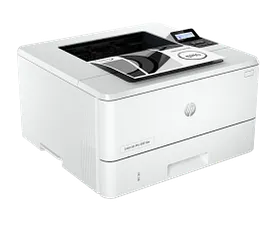
HP LaserJet Pro 4001dw
Great for fast text printing with dependable networking.
- Dual-band Wi-Fi + Ethernet
- Auto 2-sided printing
- Strong for forms/reports
Best for
- Busy home offices
- Small teams printing daily
- Reliable “always ready” output
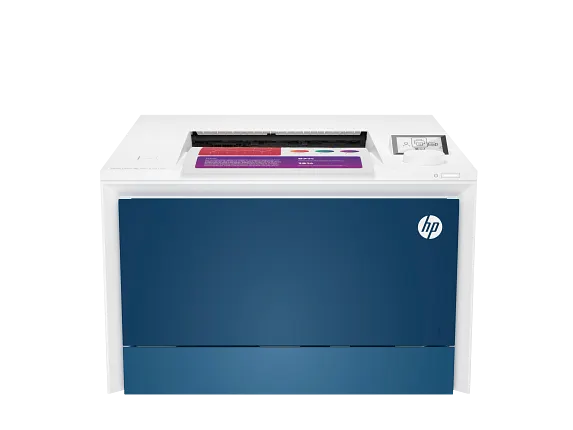
HP Color LaserJet Pro 4201dw
Consistent color output with stable connectivity for small workgroups.
- Dual-band Wi-Fi + Ethernet
- Auto 2-sided color printing
- Great for charts & visuals
Best for
- Business proposals & presentations
- Shared office printing
- Color with lower maintenance than ink
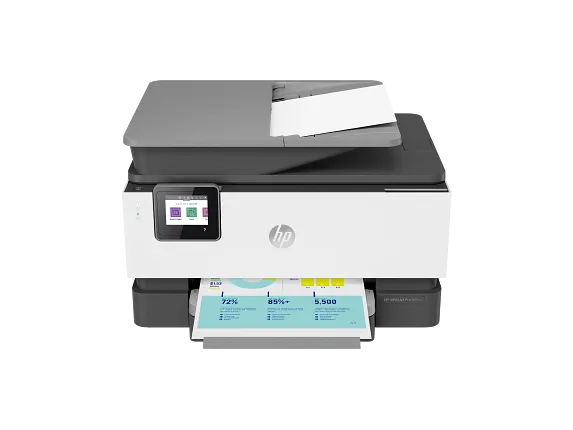
HP OfficeJet Pro 9015e
Balanced print + scan + copy for everyday productivity.
- Auto duplex + ADF
- Self-healing Wi-Fi
- HP Smart guided setup
Best for
- Home offices needing scan/copy
- Mixed text + color documents
- App-guided workflows
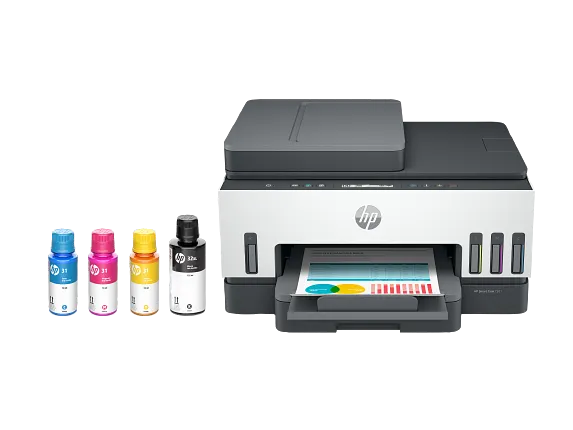
HP Smart Tank 7301
Great for high-volume home printing with refillable bottles.
- Refillable ink bottles
- Wi-Fi + app guidance
- Strong value over time
Best for
- Families & students
- Frequent color printing
- Reducing cartridge changes
How Our Assisted Purchase Works
Tell us your needs
Monthly pages, color needs, scanning, number of users, paper types, and space.
We recommend models
We suggest 2–3 HP options that match your workload and budget.
View official HP pages
Use “View on HP” to confirm specs, pricing, and availability on HP.
Guided setup
We guide you through Wi-Fi/driver basics and safe default settings.
Frequently Asked Questions
Are you HP corporate support?
No. We’re an HP Authorized Partner in the USA. We provide product guidance and assisted purchase help.
Do you provide remote access support?
No. We guide you step by step by phone or chat so you stay in control of your device.
How do you choose a replacement model?
We look at your monthly pages, color/scan needs, number of users, paper types, and how important speed and duplexing are.
How fast is delivery if I decide to upgrade?
If you choose to upgrade through an assisted purchase option, typical delivery is 2–5 working days (availability may vary by model/location).
Explore Related Help
© 2026 Eprinter Shoppe USA — HP Authorized Partner